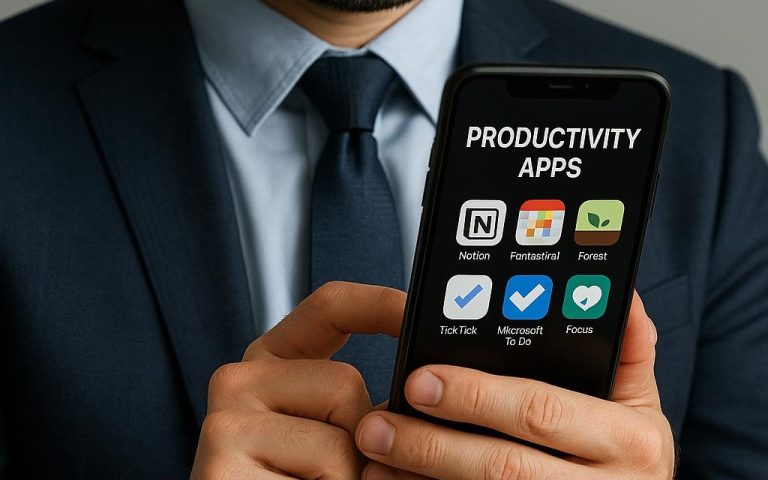
Digital Planners That Keep You on Track
Digital Planners That Keep You on Track
Feeling overwhelmed by endless tasks and a cluttered schedule? You’re not alone. In today’s fast-paced world, staying organized and focused can feel like an uphill battle. The good news — digital planners are a game-changer, helping you streamline your day and boost productivity effortlessly. Whether you’re a busy professional, a student juggling assignments, or a creative managing multiple projects, digital planners offer a smart, flexible way to stay on track. In this article, you’ll discover how these tools can transform your time management and which free and AI-powered planners are worth trying right now.
How Digital Planners Boost Your Productivity and Focus
Digital planners are more than just digital versions of paper calendars — they’re powerful productivity hubs designed to keep you laser-focused. Unlike traditional planners, digital versions sync across devices, send reminders, and adapt to your workflow. This means you can plan your day, week, or month with precision and never miss a deadline. The convenience of having your schedule, to-do lists, and notes all in one place reduces mental clutter and helps maintain your focus on what truly matters.
One of the biggest productivity boosters is customization. Digital planners allow you to tailor layouts, color-code tasks, and prioritize activities based on urgency or importance. For example, you can block out deep work hours, schedule breaks, and even track habits like exercise or meditation. This level of personalization keeps you motivated and accountable, turning overwhelming goals into manageable steps. Plus, many planners integrate with other apps like email and calendars, creating a seamless digital workflow that saves time.
Here’s the secret most people miss: digital planners aren’t just about managing tasks — they improve your work-life balance. By clearly visualizing your commitments, you can allocate time for relaxation and hobbies, preventing burnout. When you use a digital planner consistently, you develop a routine that enhances focus and reduces stress. If you want to reclaim control over your day, digital planners are an indispensable tool in your productivity arsenal.
Todoist is a great example of a digital planner that helps boost focus and productivity through task prioritization and reminders.
Top Free and AI-Powered Planners for Time Management (2025 Edition)
The 2025 edition of digital planners brings exciting AI-powered features that elevate traditional time management. Many free apps now include smart scheduling, automatic task prioritization, and even AI-generated insights to optimize your workflow. For instance, some planners analyze your habits and suggest the best times for deep work or breaks. This data-driven approach helps you work smarter, not harder, by aligning your schedule with your natural productivity rhythms.
If you’re looking for free tools, options like Notion and Google Calendar remain top choices. Notion combines note-taking, task management, and calendar functions in one customizable platform. Meanwhile, Google Calendar’s AI features now suggest meeting times and help avoid scheduling conflicts. Both apps offer mobile and desktop versions, so you can plan anytime, anywhere.
Here’s a quick comparison table to help you choose:
| Planner | AI Features | Free Version Limits | Best For |
|---|---|---|---|
| Notion | AI-powered templates, reminders | Unlimited pages, limited AI credits | Custom workflows & notes |
| Google Calendar | Smart scheduling, event suggestions | Free for all users | Scheduling & reminders |
| Microsoft To Do | Task suggestions, integration with Outlook | Unlimited tasks | Simple task management |
| TickTick | AI task prioritization, habit tracking | Free with ads | Habit & task tracking |
🚀 Pro tip: Bookmark this post, you’ll want to revisit these tools later as new AI features roll out throughout 2025.
How to Integrate Digital Planners into Your Daily Routine
Getting started with a digital planner is easier than you think. Begin by choosing one that fits your lifestyle and goals. For example, if you thrive on visual organization, apps like Trello or Asana might suit you better. If you prefer simplicity, Microsoft To Do or Google Keep are excellent. The key is to commit to using it daily — consistency is what turns planning into productivity.
Next, set up your planner with your core tasks and deadlines. Break big projects into smaller, actionable steps and assign due dates. Use reminders and notifications wisely — too many can be distracting, but a well-timed alert can keep you on track. Don’t forget to schedule breaks and downtime to maintain energy and focus throughout the day.
Finally, review and adjust your planner weekly. This habit helps you reflect on what’s working and what isn’t. Many digital planners offer analytics or progress tracking, which can motivate you to improve your time management continuously. Integrating your planner with other apps like email or calendars creates a unified digital workflow that saves time and reduces app-switching fatigue.
💡 Quick insight: Most people waste hours switching apps — these tools fix that by centralizing your tasks and calendar.
Features to Look for in Your Next Digital Planner
Choosing the right digital planner means knowing which features matter most for your productivity style. First, look for cross-device syncing — your planner should work seamlessly on your phone, tablet, and computer. This way, you can update your schedule anytime, anywhere, without missing a beat.
Second, consider integration capabilities. The best planners connect with popular apps like Gmail, Slack, or Zoom, so your meetings, emails, and tasks live in one ecosystem. This reduces the friction of managing multiple tools and enhances your digital organization. For example, syncing a planner with your calendar means you can see deadlines and appointments side-by-side.
Third, explore AI-powered features like smart reminders, task prioritization, and predictive scheduling. These tools learn your habits and suggest ways to optimize your day. For instance, AI can recommend the best time slots for focused work or flag tasks that need urgent attention. These intelligent features make your planner proactive, not just reactive.
TickTick is an excellent example that combines cross-device syncing, integrations, and AI task prioritization in a user-friendly interface.
Maximizing Focus and Reducing Distractions with Digital Planners
One of the biggest challenges in productivity is staying focused amid constant distractions. Digital planners help by creating a clear roadmap for your day, so you’re less likely to get sidetracked. When you have a prioritized list and scheduled blocks of time, it’s easier to say no to interruptions and stick to your plan.
Many planners include focus modes or Pomodoro timers that encourage deep work sessions followed by breaks. These features train your brain to concentrate for set periods, improving overall attention span. You can also use digital planners to set boundaries, like marking “do not disturb” times or blocking social media during work hours.
Another smart strategy is to review your planner at the start and end of each day. This habit reinforces your goals and helps you reflect on accomplishments and challenges. Over time, you’ll build a stronger focus muscle and develop a digital workflow that supports your best work habits.
Asana offers excellent task management with focus-enhancing features like project timelines and priority flags, perfect for reducing distractions.
Digital planners are more than just scheduling tools — they’re your personal productivity coaches that keep you focused, organized, and balanced. By integrating free and AI-powered planners into your daily routine, you unlock a smarter way to manage time and tasks. Remember, the key is consistency and choosing tools that fit your unique workflow. Start today — your future self will thank you.
Next read: How to Automate Daily Tasks With Free Digital Tools →
Related posts you might like: