
Minimalist Tech Setups That Boost Creativity
Do you ever feel overwhelmed by your tech? Too many apps, gadgets, and digital clutter can kill your creativity. When your workspace is chaotic, your mind follows suit. Minimalist tech setups are the antidote. They strip away distractions, leaving only what truly sparks your focus and imagination. Imagine a clean, simple digital environment designed to enhance your productivity and time management.
In this article, you’ll discover practical ways to build a minimalist tech setup that boosts creativity fast. You’ll learn which tools to use, how to organize your digital space, and how to maintain focus in 2025 and beyond. Ready to transform your work life? Let’s dive in.
Top Minimalist Tech Tools to Boost Creativity Fast
Choosing the right tools is the foundation of a minimalist tech setup. The goal is to use simple, powerful apps that reduce clutter and enhance your creative flow. Avoid overloading yourself with dozens of apps. Instead, focus on a few that deliver maximum impact.
Quick Tips for Choosing Tools
Start with apps that combine multiple functions. For example, Notion (Notion) is a versatile workspace that handles notes, tasks, and databases in one place. It’s perfect for digital organization without app-hopping. Similarly, Trello (Trello) offers visual task management with boards and cards, keeping your projects clear and manageable.
💡 Quick insight: Minimalist tools save you time by reducing app-switching.
For writing or brainstorming, consider using AI-powered tools like Grammarly (Grammarly) to polish your text instantly. These tools help you focus on ideas instead of editing details. For time management, Clockify (Clockify) offers free, easy-to-use time tracking that integrates with many workflows.
Best Free Tools to Start With
- *Notion (Notion)**: All-in-one workspace for notes, tasks, and databases.
- *Trello (Trello)**: Visual project management with simple drag-and-drop.
- *Grammarly (Grammarly)**: AI-powered writing assistant to boost clarity.
- *Clockify (Clockify)**: Free time tracker to improve focus and productivity.
🚀 Pro tip: Limit yourself to 3–5 essential apps to maintain a clutter-free digital space.
These tools are proven to help you stay organized, manage your time effectively, and keep your creativity flowing. The fewer distractions, the more mental space you have for ideas.
How to Build a Focused Workspace in 2025 Edition
Your physical and digital workspace should work together to support your creativity. In 2025, the trend is toward clean, distraction-free environments enhanced by smart tech. Here’s how to build one.
Step 1: Declutter Your Physical Space
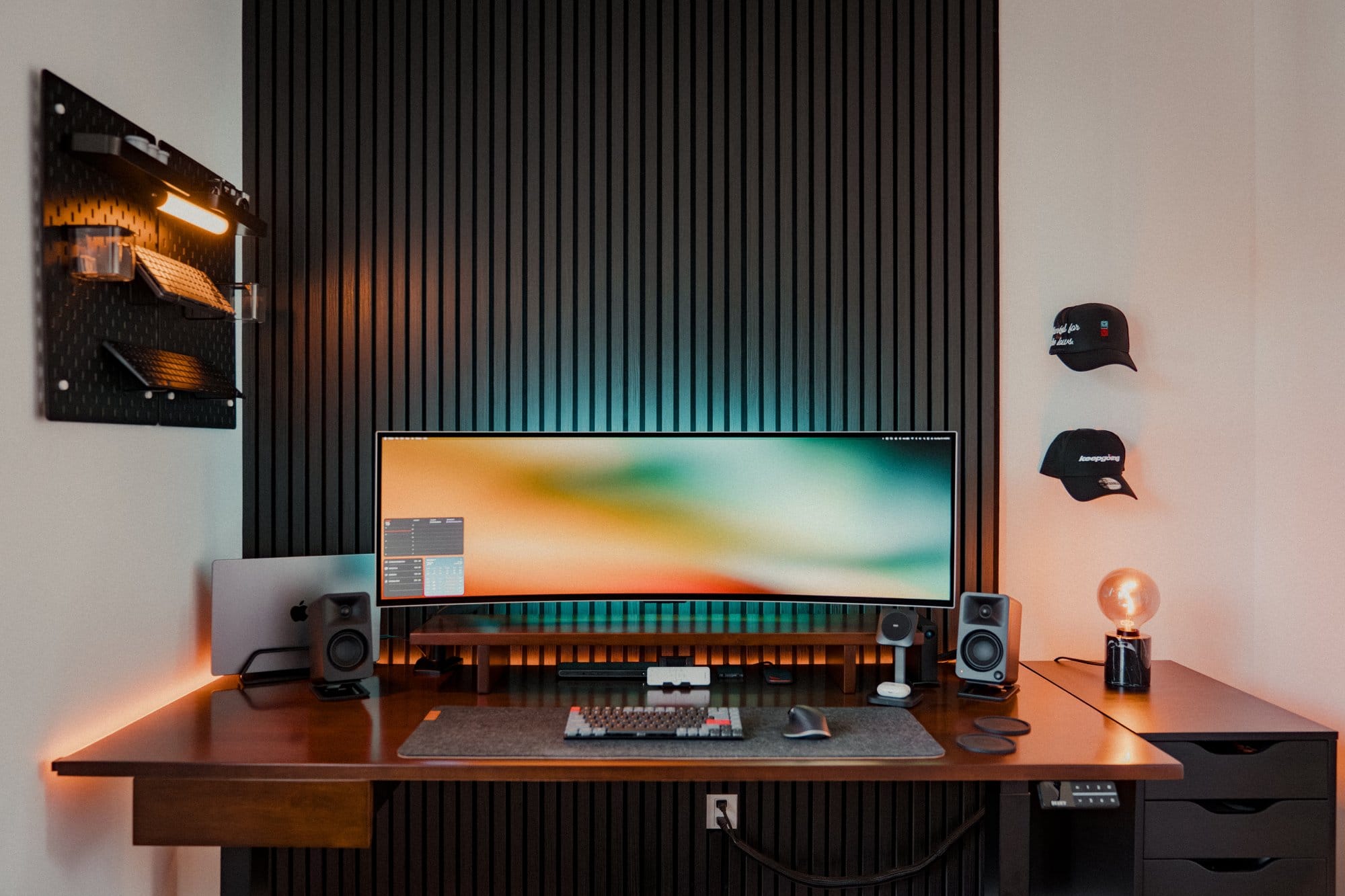
Start by clearing your desk of unnecessary gadgets and papers. A minimalist setup means having only what you need within reach. Invest in a quality monitor, keyboard, and mouse that feel comfortable and efficient. Keep cables hidden or wireless to avoid visual noise.
💡 Quick insight: A tidy desk creates a tidy mind.
Step 2: Streamline Your Digital Workspace
Use cloud storage like Google Drive (Google Drive) or Dropbox (Dropbox) to keep files accessible but off your desktop. Organize folders logically, and delete duplicates or outdated files regularly. Set up your apps to open only what’s necessary for your current task.
Step 3: Use Focus-Enhancing Tech
Consider noise-canceling headphones or white noise apps like Noisli (Noisli) to block distractions. Use browser extensions like StayFocusd (StayFocusd) to limit time on distracting sites. These tools help you maintain deep focus during creative sessions.
🚀 Pro tip: Schedule “tech-free” breaks to recharge your mind and prevent burnout.
Here’s the secret most people miss: your environment shapes your creative habits. By simplifying both your physical and digital spaces, you create a fertile ground for new ideas.
Minimalist Apps That Enhance Productivity and Focus
Apps designed with minimalism in mind can dramatically improve your productivity. They help you manage tasks, track time, and maintain focus without overwhelming you.
Task Management Made Simple
Apps like Todoist (Todoist*) offer a clean interface with powerful features. You can prioritize tasks, set deadlines, and even use AI-based suggestions to optimize your schedule. The key is to avoid apps packed with unnecessary features that slow you down.
💡 Quick insight: Minimalist task apps reduce decision fatigue.
Time Management Tools That Work
Time blocking is a proven technique to boost productivity. Use apps like Clockify (Clockify) or Toggl Track (Toggl Track) to monitor how you spend your time. These apps offer free plans and integrate well with other productivity tools.
Focus Tools to Block Distractions
Pomodoro timers like Focus Booster (Focus Booster) encourage working in short, intense bursts. Combine this with website blockers such as Freedom (Freedom) to keep distractions at bay. These minimalist tools help you stay in the creative zone longer.
🚀 Pro tip: Pair task management with time tracking for maximum efficiency.
By using these apps, you streamline your workflow and keep your energy directed toward meaningful work.
Digital Organization Hacks for Creators in 2025
Staying organized digitally is crucial for creativity. When your files, notes, and ideas are easy to find, your mind stays free to innovate.
Use Consistent Naming Conventions
Develop a simple system for naming files and folders. For example, use dates and keywords like “2025_ProjectName_Notes.” This makes searching faster and reduces frustration.
💡 Quick insight: Consistency in digital organization saves hours weekly.
Leverage Cloud-Based Tools
Cloud platforms like Google Drive (Google Drive) and OneDrive (OneDrive) sync your files across devices. This flexibility means you can work from anywhere without losing track of your ideas.
Automate Repetitive Tasks
Use AI tools like Zapier (Zapier*) to automate file backups, email sorting, or task creation. Automation frees up mental space, letting you focus on creative thinking.
🚀 Pro tip: Schedule weekly “digital declutter” sessions to maintain order.
Here’s the secret most people miss: automation and organization go hand in hand in a minimalist tech setup. They keep your digital life smooth and distraction-free.
Balancing Tech and Mindfulness for Sustainable Creativity
Minimalist tech setups aren’t just about tools—they’re about mindset. Balancing your use of technology with mindfulness practices boosts creativity sustainably.
Set Boundaries with Tech
Define specific work hours and stick to them. Use apps like Forest (Forest*) to encourage focused work and discourage phone checking. This helps maintain a healthy work-life balance.
💡 Quick insight: Boundaries prevent tech burnout and support long-term creativity.
Incorporate Mindfulness Breaks
Take short breaks to meditate or stretch. Apps like Headspace (Headspace*) offer guided sessions that refresh your mind. These moments of calm improve focus when you return to work.
Reflect and Adjust Regularly
Review your tech setup monthly. Ask yourself what’s working and what’s distracting. Minimalism is a journey, not a one-time fix.
🚀 Pro tip: Combine mindfulness with minimalism to unlock deeper creative potential.
By balancing tech with mindfulness, you create a space where creativity can thrive without overwhelm.
Conclusion
A minimalist tech setup is your secret weapon for boosting creativity and productivity. By choosing the right tools, organizing your digital and physical spaces, and balancing tech with mindfulness, you unlock your full creative potential. Remember, less is more when it comes to tech—focus on quality, not quantity.
Start simplifying today. Your future self will thank you for the clarity, focus, and creative energy you cultivate now.


