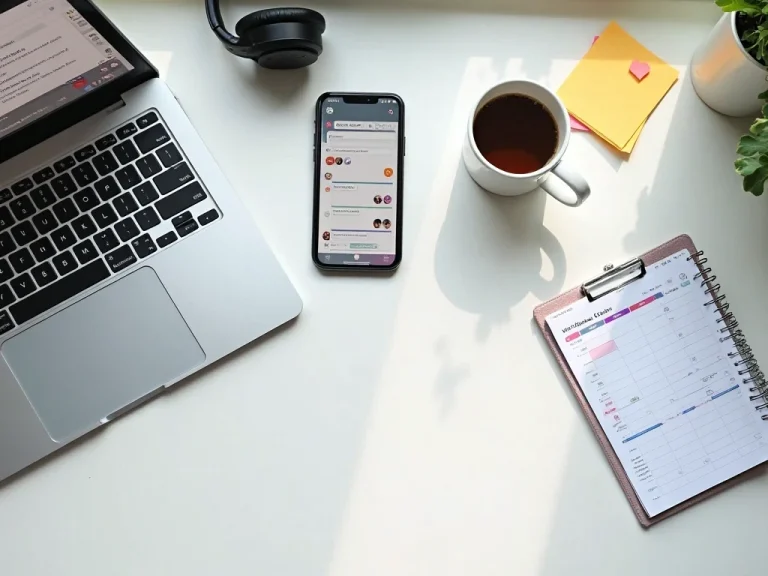
Freelance Tools That Boost Productivity: 2025 Edition
Feeling overwhelmed by juggling multiple freelance projects and deadlines? You’re not alone. Freelancers often struggle with managing their time, staying focused, and organizing their digital workspace. The good news — there are free and AI-powered tools that can help you work smarter, not harder, in just minutes. Whether you’re a writer, designer, or developer, the right freelance tools can skyrocket your productivity and help you reclaim your work-life balance. In this article, you’ll discover top apps and strategies to transform your freelance workflow and boost your focus starting today.
Top Freelance Tools to Skyrocket Your Productivity Fast
When you freelance, every minute counts. That’s why using the right tools can make a huge difference in your daily output. The best freelance tools combine time management, digital organization, and focus-enhancing features to help you stay on track without feeling overwhelmed. For example, time-tracking apps like Toggl Track let you monitor how long tasks actually take, helping you optimize your schedule and bill clients accurately.
Another essential category is project management. Tools like Trello or Asana provide visual boards and task lists that keep your projects organized and deadlines visible. This way, you avoid the chaos of scattered notes or forgotten to-dos. Plus, integrating these with calendar apps like Google Calendar keeps your appointments and deadlines synced across devices.
Don’t forget communication tools. Slack or Microsoft Teams streamline client and team conversations, reducing email clutter and speeding up feedback loops. These apps also support file sharing and video calls, so you can stay connected and productive without switching platforms constantly. Here’s the secret most freelancers miss: combining time tracking, project management, and communication tools creates a seamless digital workflow that saves hours every week. Try pairing Toggl with Trello and Slack to experience this synergy firsthand.
How AI-Powered Apps Transform Your Digital Workflow
AI isn’t just a buzzword—it’s a game-changer for freelancers aiming to boost productivity and focus. AI-powered apps automate repetitive tasks, generate content ideas, and even help with editing and design. For example, ChatGPT can draft emails, brainstorm blog topics, or create outlines in seconds, freeing your brainpower for more creative work.
Another powerful AI tool is Canva’s AI design features, which help you create stunning graphics quickly, even if you’re not a design pro. These tools use smart templates and suggestions to speed up your visual projects without compromising quality. Plus, AI transcription apps like Otter.ai convert meeting recordings into searchable text, so you never miss an important detail.
The best part? Many AI tools offer free versions that freelancers can start using immediately. This means you can upgrade your digital workflow without breaking the bank. Combining AI with your existing apps can reduce busywork, improve accuracy, and boost your focus. If you haven’t tried AI-powered apps yet, now’s the time — you’ll be surprised how simple this is.
Mastering Time Management with Free Apps
Time management is the cornerstone of freelance productivity. Without a boss looking over your shoulder, it’s easy to get distracted or procrastinate. Luckily, free apps designed for freelancers can help you reclaim control over your schedule. For instance, Pomodoro timers like Pomofocus break your work into focused intervals, improving concentration and preventing burnout.
Calendar apps like Google Calendar or Microsoft Outlook help you block out work hours, client meetings, and personal time. The key is to treat your freelance schedule as non-negotiable appointments. Using color-coded events and reminders makes it easier to stick to your plan and avoid overbooking. You can even automate recurring tasks or deadlines with calendar integrations.
Additionally, task managers such as Todoist or Microsoft To Do offer simple yet powerful ways to prioritize your daily to-dos. These apps sync across devices and send notifications, so you never lose track of important tasks. Pro tip: Combine a Pomodoro timer with a task manager to keep your focus sharp and your to-do list manageable. Start by listing your top three priorities each morning and tackle them with timed focus sessions.
Digital Organization Hacks for Freelancers
Staying organized digitally is crucial for freelancers handling multiple clients and projects. A cluttered desktop or disorganized files can kill productivity faster than any distraction. Cloud storage solutions like Dropbox or Google Drive keep your documents accessible and safe, no matter where you work from. Plus, they make collaboration with clients seamless.
File naming conventions and folder structures might sound boring, but they’re productivity gold. Create a consistent system for naming files by client, project, and date — this saves you from endless searching later. Apps like Evernote or Notion offer powerful note-taking and database features that keep your ideas, invoices, and research neatly organized in one place.
Another digital organization tip is to use browser extensions for managing tabs and bookmarks. Tools like OneTab or Pocket help reduce tab overload and save articles or resources for later reading. Here’s a quick insight: Most people waste hours switching between apps and searching for files — these organization hacks fix that effortlessly. Once your digital space is tidy, your mind will follow.
Balancing Work and Life as a Freelancer
Productivity isn’t just about work output; it’s also about maintaining a healthy work-life balance. Freelancers often blur the lines between work and personal time, leading to burnout. Setting boundaries is essential, and tools can help. For example, apps like RescueTime track your digital habits and show how much time you spend on productive vs. distracting sites.
Scheduling breaks and downtime is just as important as scheduling work. Use calendar reminders or wellness apps like Headspace or Calm to incorporate mindfulness and relaxation into your routine. These small pauses boost focus and reduce stress, making your work sessions more efficient.
Lastly, automate repetitive tasks like invoicing and client follow-ups with tools such as Wave or FreshBooks. Automation frees up time for creative work and personal life. Remember, productivity is about working smarter, not longer. Start using these balance-friendly tools today to protect your energy and passion.
Mastering productivity as a freelancer is within your reach, thanks to these powerful tools and strategies. From time management apps to AI-powered assistants and digital organization hacks, you have everything you need to work smarter and reclaim your focus. Start integrating at least one new tool today — your future self will thank you for it. Ready to keep optimizing? Next read: How to Automate Daily Tasks With Free Digital Tools →
Related posts you might like: